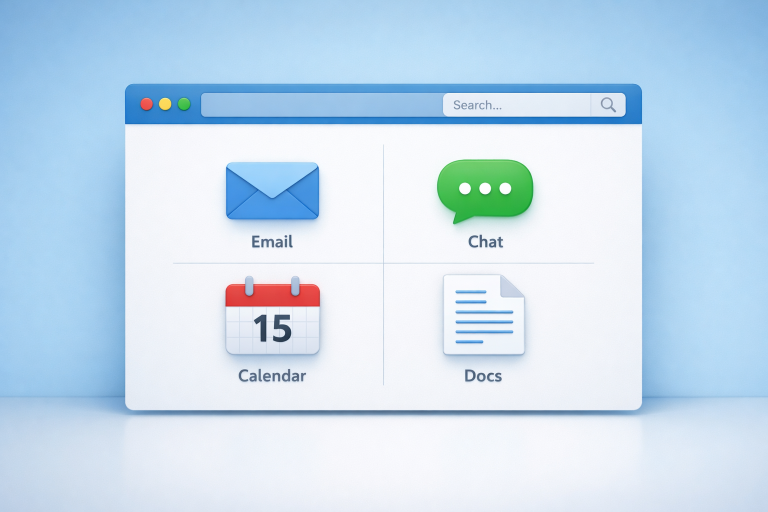
In today’s digital landscape, professionals often juggle multiple applications, browser tabs, and communication tools to manage their daily tasks. This fragmented workflow can lead to inefficiencies, duplicated effort, and increased cognitive load, as switching between platforms disrupts focus and slows productivity. A unified browser, which consolidates email, chat apps, project management tools, and web browsing into a single interface, offers a potential solution by reducing the need to constantly toggle between programs. By centralizing essential tools, users can streamline their workflow, maintain context across tasks, and focus more on meaningful work rather than managing digital clutter.
Exploring the practical features of such a browser can help individuals understand how this approach can reshape their daily routines. For those interested in seeing this concept in action, you can watch the Shift browser overview video, which demonstrates how multiple workspaces and app integrations function cohesively within one platform. By observing how tasks and communications are organized in a unified environment, it becomes easier to appreciate how consolidating digital tools can simplify workflow, save time, and enhance overall productivity. This perspective highlights the growing importance of workflow management in modern digital practices.
The Challenges of Managing Multiple Digital Tools
Most modern professionals use a variety of tools each day, including email clients, chat platforms, schedulers, and cloud storage solutions. Switching between these isolated applications can become a significant challenge. Every transition disrupts your concentration, leading to potential errors and forgotten tasks. Research by the American Psychological Association has shown that constant context switching can reduce individual productivity by as much as 40%.
The sheer amount of information workers must juggle in their digital environment increases the risk of missing emails, misplacing files, or overlooking deadlines. This digital chaos not only eats into precious work hours but also leads to frustration and fatigue.
What Is a Unified Browser?
A unified browser is designed to centralize your workflow on a single platform. Unlike traditional browsers that require dozens of open tabs or separate applications, a unified browser enables seamless access to tools such as email, messaging apps, calendars, and more directly from its interface.
This approach eliminates many sources of distraction and creates a more cohesive workspace. Users can quickly switch between tasks without losing their place, making a unified browser especially valuable for roles that depend on efficient task switching, such as customer support, marketing, and team management.
Benefits of Using a Unified Browser
1. Enhanced Productivity
By grouping all important applications into a single environment, unified browsers help users focus on tasks without having to hunt for the right tab or application window. This centralization allows for smoother multitasking. Reducing digital distractions can lead to marked improvements in performance and job satisfaction.
2. Reduced Cognitive Load
Managing sprawling sets of tabs and remembering multiple passwords or login credentials can exhaust even the most organized worker. Unified browsers minimize this mental burden by securely integrating tools into a single platform, enabling easier access, fewer mistakes, and a lighter cognitive workload.
3. Improved Organization
Features like customizable workspaces and unified app management help maintain clear boundaries between different projects or clients. This level of organization not only supports task prioritization but also speeds up information retrieval when deadlines loom or decisions need to be made quickly.
Implementing a Unified Browser in Your Workflow
The process of integrating a unified browser starts with mapping out your most-used applications and determining whether the browser can support them natively or via integration. Once you’ve assessed your needs, creating custom workspaces for individual projects, roles, or clients can help you maintain order and efficiency.
- Assess Your Needs: Catalog the digital tools you rely upon daily. Make sure your unified browser supports these tools and allows secure access.
- Customize Workspaces: Establish dedicated areas within your browser for specific purposes, client work, communications, and project management, to keep everything organized and easy to access.
- Utilize Integrations: Activate built-in integrations for messaging, calendars, and collaboration platforms to enable streamlined workflows.
- Regularly Review and Optimize: Schedule regular check-ins to review your digital setup, swap out seldom-used tools, and reorganize workspaces as your roles evolve.
Real-World Applications and Success Stories
Organizations that implement unified browsers often enjoy a noticeable shift in productivity and employee satisfaction. Businesses report spending less time toggling between apps, fewer miscommunications, and the ability to focus energy on higher-level priorities.
Companies involved in remote work or managing distributed teams particularly benefit, as the unified browser creates a standardized work environment that is easy to onboard and maintain. These transformations highlight the importance of tools that coordinate digital tasks rather than contributing to information overload.
Conclusion
As digital work demands continue to rise, a unified browser presents a practical solution for anyone looking to simplify their workflow and regain control over their professional day. By bringing together everything you need into one accessible platform, you can reduce distractions, keep tasks well-organized, and focus on delivering your best work.