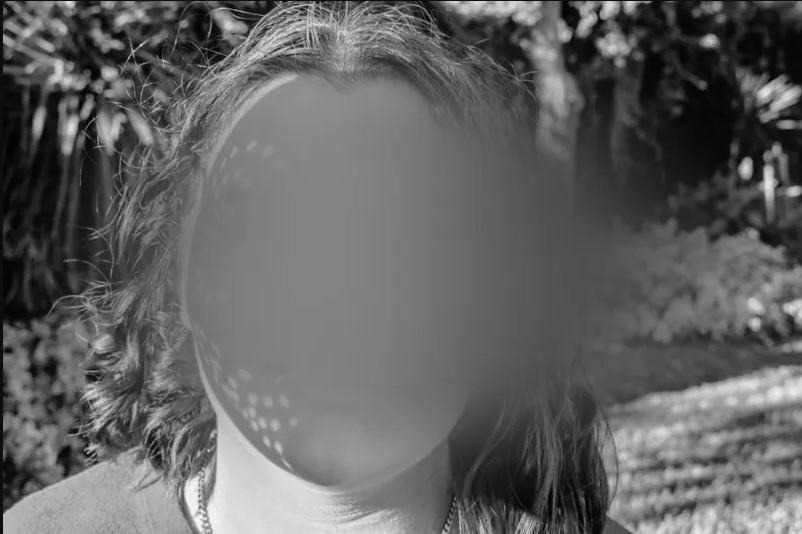
 Image source: Gallio PRO
Automatic blurring of faces and license plates can “cover” most typical shots, but the publishable version of footage usually breaks down on details: fast motion, occlusions, reflections, steep angles, crowds, night recordings, or unusual framing. This is exactly where manual redaction turns an export from “almost safe” into material that can withstand a complaint or an audit.
Manual video redaction involves adding masks (such as rectangles, ellipses, or custom shapes) and tracking them over time to hide identifying elements where automatic detection failed. It is a practical standard in visual data anonymization before publishing photos and recordings.
Why Don’t Detection Models Catch Everything?
Detectors perform best on frontal faces and well-lit license plates. They struggle more with:
- motion blur, camera shake, and fast panning,
- partial occlusions (helmets, masks, glasses, hoods),
- glare and reflections in glass, mirrors, or car paint,
- crowds and complex backgrounds where objects are small or overlapping,
- unusual perspectives (profiles, top-down shots, wide angles).
Equally important, identity in footage does not always depend only on a face or a license plate. In practice, “leaks” are often caused by contextual elements: logos on clothing, ID badges, text on screens, documents in the frame, or sometimes tattoos or distinctive marks. General-purpose models usually do not detect such objects reliably because of their enormous variety and industry-specific context.
What Does Manual Redaction Add – and When Is It Necessary?
Manual redaction is needed when:
- “holes” remain after automatic blurring in individual frames,
- identifiers appear only briefly (for example, a plate visible in one sharp frame),
- sensitive information appears that is not covered by automatic detection (such as data on a screen),
- the material will be published in media or online, where contextual re-identification risk increases.
In practical terms, manual redaction is the layer that “closes” the data-minimization principle and reduces publication risk, especially in CCTV footage, incident recordings, training materials, and public communications.
A Fast Workflow: From Automation to Final Export
The most efficient approach combines automatic detection with targeted manual work only where risk is highest.
On-premise processing. Sensitive files remain within the organization’s infrastructure, making access control easier and limiting transfers.
First automatic pass. Face and plate blurring creates a baseline and reduces the number of objects requiring manual correction.
Timeline review for “failure points.” Mark scenes with crowds, night shots, fast motion, reflections, and abrupt framing changes.
Adding manual masks. Hide elements not covered by automation (for example, ID badges, screens, documents, or context-specific logos).
Tracking and keyframes. Track masks over time and correct them where tracking drifts after occlusions or sudden movement.
Quality control. Check mask edges, reflections, and single frames where an object may briefly reappear.
Irreversible export. Save the publication version and a working version for further review, without retaining unnecessary source data.
Practical Tips That Actually Reduce Manual Editing Time
Start with automation. Manual work should fix exceptions, not the entire footage.
Use keyframes instead of frame-by-frame editing. Set masks at turning points and let interpolation fill the rest.
Segment video into scenes. Shorter fragments speed up review and enable parallel work.
Prioritize risk. Focus first on close-ups, crowd exits, readable plates, reflections, and background screens.
Use mask templates. If an element repeats (for example, a fixed screen location), reuse a template instead of creating a mask from scratch.
Gallio PRO – Automated Face and Plate Blurring Plus Fast Manual Redaction
In scenarios requiring on-premise processing and a repeatable workflow for both photos and video, a practical approach is to combine automatic blurring with an editor for manual corrections. Gallio PRO automatically detects and blurs faces and license plates, while additional elements can be masked manually in the built-in editor.
It is important to clearly state functional limits: Gallio PRO does not anonymize entire silhouettes, does not operate in streaming mode, and does not perform real-time anonymization. It also does not automatically detect logos, tattoos, ID badges, documents, or screens—these areas must be redacted manually.
To evaluate how well it fits your recordings and hardware environment, you can download the free Gallio PRO demo.
Final Check: A “Is This Truly Safe?” Checklist
Check reflections (glass, mirrors, car bodies) and background screens.
Verify editing cuts – this is where single unmasked frames most often appear.
Assess sharp frames during motion – plates and faces can be readable for a fraction of a second.
Review again after export to the target format, especially if the footage will be uploaded to heavily compressed platforms.
FAQ – Manual Video Redaction
When is manual redaction needed if automatic blurring is used? When detection has gaps in difficult conditions or when other identifiers appear in the frame that automation does not detect (for example, data on a screen).
What most prolongs manual redaction? Crowds, fast motion, poor lighting, and frequent occlusions. Using keyframes, tracking, and risk-based prioritization helps significantly.
Can one tool handle both photos and video? Yes, if it offers a consistent workflow for both file types and includes a manual masking editor.
Does Gallio PRO blur full silhouettes or work in real time? No. Gallio PRO automatically blurs faces and license plates, does not anonymize full silhouettes, and does not operate in streaming or real-time mode.
How should you approach footage from crowded places? Start with automatic blurring, then manually close gaps in key frames and scene transitions. In crowds, prioritize close-ups and shots where faces are largest.
References
GDPR – Regulation (EU) 2016/679 (including Articles 4 and 6)
EDPB – Guidelines 3/2019 on processing personal data through video devices
ICO – CCTV and video surveillance
Court of Justice of the EU – Case C-212/13 Ryneš