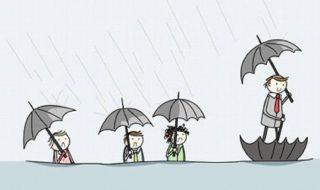
You see it every day. Your team is sharp, motivated, and capable, but they’re constantly slowed down by clunky software and inefficient processes. They spend more time fighting their tools than doing the high-value work they were hired for. This frustration isn’t just a minor annoyance; it’s a symptom of a deeper problem.
Industry data backs this up. Research from McKinsey shows that employees can spend up to 20–30% of their workweek searching for information or re-entering data across disconnected systems, while studies from Gartner consistently point to poor software integration as a leading cause of operational inefficiency and burnout. When tools don’t match real workflows, productivity losses compound quickly across teams.
This is “software friction”—the gap between how work should be done and how your software forces it to be done. It’s the endless manual data entry, the clumsy workarounds, and the data silos that create drag on your entire operation.
What is Software Friction?

Software friction is the resistance, wasted effort, and frustration that occurs when your technology doesn’t align with natural, efficient human workflows. It’s the force that pushes back when your team tries to complete a task, turning a simple process into a multi-step ordeal. It’s the digital equivalent of trying to run a race in boots filled with sand.
Common Symptoms of a Software-Workflow Gap
If the signs in the table feel familiar, you’re likely dealing with a significant workflow gap. Let’s look closer at the most common symptoms Strategic Operations Managers see every day.
- Excessive Manual Workarounds: Are your teams constantly exporting data to spreadsheets to manipulate it, create reports, or perform calculations that the main software should handle? This is a classic sign that the software lacks critical features or isn’t integrated properly with other essential tools.
- The Rise of “Shadow IT”: When employees rely on unauthorized apps—Google Sheets for project tracking, a personal Trello board for task management, or a shared Dropbox for file storage—it means the official, company-sanctioned tools are failing them. This not only creates security risks but also fragments your company’s data and processes.
- Low User Adoption & Complaints: You invested in a powerful platform, but your team actively avoids using it. They complain it’s too complex, non-intuitive, or simply doesn’t match the way they need to work. This points to a tool that was either poorly chosen for the task or implemented without proper consideration for the end-user workflow.
- Data Silos and Inconsistencies: Does a new customer’s information have to be entered into the CRM, the accounting software, and the project management tool manually? This duplication of effort is a direct result of systems that don’t communicate, leading to wasted time and a high probability of data-entry errors.
- Constant Need for Training: If even long-term employees struggle with core software functions without frequent help or re-training, the tool is likely too complex or unintuitive for the task at hand. Software should empower users, not require them to be experts just to get their daily work done.
From Diagnosis to Solution
Armed with a clear diagnosis, you can now shift your focus from problems to solutions. This isn’t just an IT project; it’s a business strategy initiative designed to unlock efficiency, boost profitability, and improve your team’s work life.
So, should you be looking at new software, better integration, or process automation? The answer is almost always a combination tailored to your specific diagnosis. Off-the-shelf software promises a quick fix, but it often forces you to adapt your proven processes to its rigid structure. The most powerful solutions are those designed to fit your unique operational needs, especially in complex industries like construction, healthcare, or manufacturing.
Navigating the available tech options with a partner who understands your industry ensures you implement tools that actually scale with your growth. The most powerful solutions are those designed to fit your unique operational needs, especially in complex industries like construction, healthcare, or manufacturing. By choosing managed support that prioritizes long-term stability over temporary patches, you transform your infrastructure into a high-performing asset that supports your staff and protects your bottom line.
The Role of a Strategic IT
This is often the point where operations leaders wonder, “When does it make sense to bring in an outside expert?” If your diagnosis reveals deep-seated issues rooted in poor integration, legacy systems, or a lack of strategic IT direction, a partner can be the most effective path forward.
A strategic IT partner brings an objective, expert perspective that internal teams, focused on daily operations, often lack. They see patterns and solutions you might miss. Services like a Virtual CIO (vCIO) are designed specifically to bridge this gap, helping you align technology decisions with high-level business goals. Instead of just reacting to problems, a managed service provider (MSP) can proactively monitor, manage, and optimize your entire IT environment to prevent these gaps from forming in the first place.
Conclusion: Aligning Your Technology with Your Ambition
We’ve journeyed from recognizing the subtle signs of software friction to understanding its massive cost and mapping out the strategic steps to fix it. The core lesson is clear: the goal isn’t just to have software, but to build a technology ecosystem that actively accelerates your workflow and supports your most important business objectives.
Your technology should be a tailwind, not a headwind. Closing the gap between how your team works and how your software functions is one of the most powerful investments you can make in your company’s long-term productivity, stability, and growth. It’s time to stop fighting your tools and start making them work for you.